








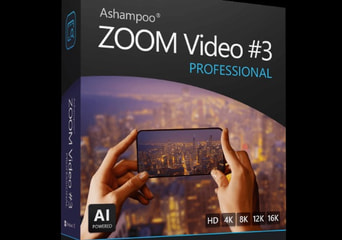
Ashampoo ZOOM Video #3 Professional Global Software License
- InstantDelivery
- KeyActivation type
- StandardEdition
- Global
- Software License
- EN
About the product
- Languages:

Experience your videos anew –razor-sharp in up to 16K
Ashampoo ZOOM Video #3 professional is software for video upscaling and quality adjustments designed for demanding use cases. It precisely enlarges video material and prepares it for display on high-resolution screens. Older footage, low-resolution videos, and archive material are processed using AI technology to achieve a clear, detailed, and consistent visual result.
At the core of ZOOM Video #3 professional is a specially developed upscaling technology based on deep learning and the proprietary SSSP method. Instead of classic interpolation, each frame is analyzed pixel by pixel, image content is evaluated in a structured manner, and details are selectively reconstructed. Structures remain intact, textures appear natural, and visual artifacts are avoided. Even greatly enlarged videos retain a calm, clear, and authentic appearance.
Features:
- Upscale videos and prepare them for modern displays.
- Video upscaling up to 16K UHD resolution.
- AI-powered analysis of each individual frame for high detail accuracy.
- “Intelligent Details” for realistic reconstruction of fine structures.
- High-quality processing modes for sharp and clear results.
- Efficient upscaling calculations even at very high resolutions.
- Presets for optimal adjustment to different image subjects.
- Super sampling up to 400 percent for smooth, clean contours.
- Gamma aliasing with 8 levels to reduce stair-stepping effects.
- Support for modern video codecs such as AV1, AV1 (GPU), and VP9.
- Nine quality levels per codec for controlled output.
- RAW module for targeted optimization of contrast, colors, and details.
- AI-powered effects for realistic image enhancement.
- Save, edit, or print individual video frames as images.
- Trim videos, adjust frame rates, and export flexibly.
Gamivo.com Limited is not affiliated with Product Owner and all products come from independent sellers.