
People who search for sites like Steam for cheap game deals usually find lists of websites. A discounted key helps only if it activates on a platform you already use, so this guide starts with the launchers themselves.
Sites like Steam are PC launchers with their own game library and their own place to enter a key: Epic Games, GOG, the EA app, Ubisoft Connect, Battle.net and the Xbox app for Windows. A key activates only on the platform it was issued for, so check the activation platform on the product page before you pay.
Every activation step and quote below comes from the official help pages of each platform and from gamivo.com, read on September 26, 2026. For the basics of what a key is and how it reaches your account, see our guide on how game key sites work.
What are sites like Steam for cheap game deals?
The term “sites like Steam” refers to the other PC launchers where a game key can be activated. A PC launcher is a desktop application that holds your game library, downloads and updates games, and redeems product keys for one account. Steam is Valve’s launcher, and each of the others below does the same job for its own account system.
GAMIVO groups games by activation platform in its main menu. On September 26, 2026, the Games Platforms menu on gamivo.com listed Steam, Xbox, PlayStation, Nintendo Switch, EA App, Ubisoft Connect, Epic Games, GOG, Battle.net and Rockstar Games. Seven of them are PC launchers or apps covered in this guide.
| Launcher | Account the key is added to | Where you enter the key |
|---|---|---|
| Steam | Steam account | Steam client: Games menu, “Activate a Product on Steam” |
| Epic Games | Epic Games account | Epic Games Launcher or the code redemption page |
| GOG | GOG account | GOG redeem page or GOG GALAXY settings |
| EA app | EA Account | EA app: My Library, Redeem Code |
| Ubisoft Connect | Ubisoft account | Ubisoft Connect PC: profile, “Key/Code Activation” |
| Battle.net | Blizzard account | Battle.net website or Battle.net Desktop App |
| Xbox app for Windows | Microsoft account | Xbox app: Settings, Redeem a code |
Can a Steam key be activated on another launcher?
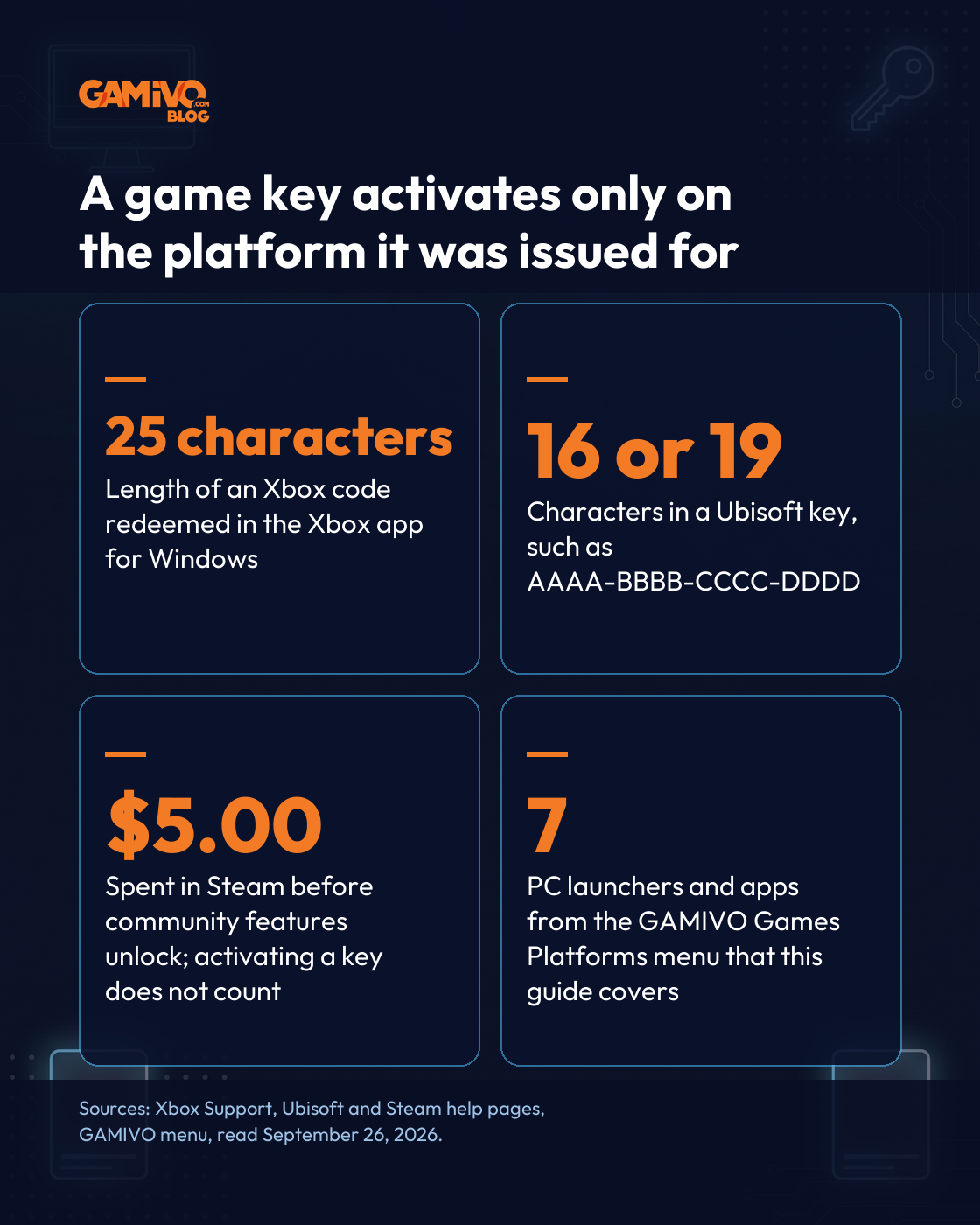
No. A key is tied to the platform it was issued for, and the launcher named on the product page is the only place where it works. Steam states it directly: “If a key is not intended for registration through Steam, you will see an Invalid Product Code error when you try to register it.”
The same rule applies to every other launcher. GAMIVO’s FAQ tells buyers to “use the code on the correct platform or software: Steam, Blizzard, EA App, Ubisoft Connect, or any other, specified in the description.” A key for the EA app goes into the EA app, and a key for Ubisoft Connect goes into Ubisoft Connect.
How do you activate a key on Steam?
Steam keys go into the Steam client: open the Games menu and choose “Activate a Product on Steam.” The GAMIVO product page for ARC Raiders gives the same path in its activation guide: “Go to Games and then click Activate a Product on Steam.” Steam also accepts keys through its registration page in a web browser.
Steam’s help center explains that region rules for keys come from the game’s publisher: “Region restrictions on CD Keys vary by each individual publisher.” A regionally restricted copy registered in another region returns the error “Game not available in your territory.” For a closer look at Steam keys, read our guide to the cheapest place to buy Steam keys.
How do you redeem a code on Epic Games?
Epic Games takes codes in two places, the Epic Games Launcher and the Epic website, and adds the game to the Epic Games account you are logged in to. In the words of Epic’s help center, “Redeeming a retail code is possible via the Epic Games Launcher or the Epic Games Store website.”
In the launcher, you log in, click your name in the upper right corner, choose Redeem Code, enter the code and click Redeem. After a successful redemption, Epic says the game should be available in the Epic Games Launcher Library.
How do you redeem a code on GOG, and what does DRM-free mean?
On GOG, a code goes either into the redeem page on the website or into the GOG GALAXY app. In GALAXY, GOG support has you open the cogwheel icon in the top left, choose Add games & friends, then Redeem GOG code, and type in the code.
GOG says it is “fully committed to providing you exclusively with DRM-free games,” and it defines the term this way: “DRM-free indicates that a game is devoid of any Digital Rights Management, which means there are no restrictions imposed by the publisher or developer on how you can use the game.” GOG adds that a DRM-free game lets you “play it offline at any time” and “install it on as many devices as you wish.”
How do you activate a key in the EA app?
For an EA key, open My Library in the EA app and select Redeem Code. EA’s help center breaks this into four steps: launch the EA app, log in to your EA Account, open My Library and select Redeem Code. The code can also be entered at ea.com/redeem.
EA warns about the account first: “Make sure you log in to the EA app using the EA Account you want to add your game to.” Once you redeem the code, the game “will appear in your EA Account,” according to the same help page.
How do you activate a key in Ubisoft Connect?
Ubisoft Connect PC takes keys through your profile menu, under “Key/Code Activation,” where you enter the key in the Activate Product field and select Activate. Ubisoft links the game or content to the Ubisoft account you activate it on.
Ubisoft lists key formats of 16 or 19 characters, for example AAAA-BBBB-CCCC-DDDD, so a key typed by hand is worth checking before you submit it. The check matters because, as Ubisoft warns, “multiple failed activation attempts will temporarily block you from activating a key.”
How do you redeem a code on Battle.net?
Battle.net codes land on your Blizzard account, and Blizzard’s support article names both ways in: “You can add codes to your Blizzard account through the website or through the Battle.net App.”
The same article lists what counts as a code: “This includes game keys, Blizzard Balance codes, game time codes, gift codes, pets and mounts, and promotional codes.” In the desktop app, you log in, click your profile icon at the top right and choose Redeem Code.
How do you redeem a code in the Xbox app for Windows?
In the Xbox app for Windows, codes for PC are redeemed under Settings, Redeem a code. Each code has a fixed length, per Xbox Support: “XBOX codes are 25-character alphanumeric strings.” In the app, you select your gamerpic, open Settings, select Redeem and enter the 25-character code.
The account you are signed in to decides where the game lands. Xbox Support warns: “Redeemed codes cannot be transferred to another Microsoft account by XBOX Support.”
How do you check the activation platform on a product page?
GAMIVO product pages list the activation platform next to the region and edition. On the ARC Raiders page, the Product Details section listed “Platform: PC (Steam),” “DRM/Activation: Steam Key” and “Region: Global,” and the offer box showed the Key Activation type with a “How to activate” link.
GAMIVO’s FAQ asks buyers to “make sure to check the region, language, platform, or any other restrictions on the product page.” For Mac players, the FAQ adds: “Mac offers are always specified on the product page and in the product name.” If a page does not say Mac, the FAQ says to assume the key is meant for Windows.
| What to check | Where it appears on the product page | Why it matters |
|---|---|---|
| Platform | Product name and “Platform” line | The key works only on this launcher |
| DRM/Activation | “DRM/Activation” line and Key Activation type | Tells you which app redeems the key |
| Region | “Region” line and “Check restrictions” | The publisher can limit where the key activates |
| Operating system | Product name for Mac offers | Keys without a Mac label are meant for Windows |
A good habit before a sale: open the launcher you use most, then filter deals by that platform. Steam players can pair this with our guide to the best deals on Steam games.
Frequently asked questions
Steam and other launchers
Sites like Steam are PC launchers with their own library: Epic Games, GOG, the EA app, Ubisoft Connect, Battle.net and the Xbox app for Windows. For cheap game deals, the launcher matters more than the list of websites, because a discounted key activates only on the platform printed on the product page.
No. A Steam key activates only in Steam, and an Epic Games code only in the Epic Games Launcher or on the Epic website. Steam’s help center says a key not intended for Steam returns an Invalid Product Code error. Check the platform line on the product page before buying.
The Steam $5 rule is Valve’s limit on community features: Steam restricts them “until an account has spent at least $5.00 USD in Steam.” Activating a game key does not count, because Steam lists “Activating a retail game on Steam” among actions that “will not remove limited user restrictions.”
DRM-free games and key activation
GOG defines DRM-free as a game “devoid of any Digital Rights Management,” with no restrictions from the publisher or developer on how you use it. According to GOG, you can play a DRM-free game offline at any time and install it on as many devices as you wish.
The launcher is named on the product page, in the product name and in the “Platform” and “DRM/Activation” lines. On GAMIVO, the FAQ asks buyers to check the platform and region boxes before displaying a key, and to use the code on the platform specified in the product description.
Enter the key in the launcher named on the product page: the Steam client, the Epic Games Launcher, GOG GALAXY, the EA app, Ubisoft Connect PC, the Battle.net Desktop App or the Xbox app. You will find the key itself in the Purchases section of your GAMIVO account.


GTA 6. Everything we know so far [Release, editions, and pre-orders]
To say that people were excited about the GTA 6 news would be an understatement. One of the most popular RPG games ever made has finally received its first trailer.

How to Save Money on PC Games by Choosing the Right Edition: Standard, Deluxe or Ultimate
How to save money on PC games: compare Standard, Deluxe and Ultimate editions, season passes, early access and later upgrades before you buy.

GTA Games in Order: The Complete History of Grand Theft Auto
Find out how Grand Theft Auto grew from a 1997 top-down crime game into one of the best-selling franchises ever made. This guide lists all GTA games in order of release and recaps each one: the story, the gameplay, and its impact on the industry.