
Comparison of Sites With the Lowest Game Prices: What a Price Comparison Misses

Search for a comparison of sites with the lowest game prices, and you land on pages that put many offers for the same game into one list. That list answers one question quickly. However, the number at the top is a starting point rather than the full cost. The order of the list, too, follows rules the site sets.
A comparison of sites with the lowest game prices shows the listed price, but your final cost also depends on tax, payment currency, region restrictions, and the edition on offer. Check those four points before you treat the lowest number as the best deal.
This guide explains how comparison sites rank their lists and which costs appear only at checkout. It also shows how region and edition change what a key is worth to you. Finally, it sets out what EU and US rules say about discount labels. Every source is a law or an official page, checked on September 11, 2026.
How comparison sites rank the lowest game prices
Someone always decides the order of a list. EU consumer law gives that decision a name: since Directive (EU) 2019/2161, ranking means the relative prominence a trader gives to products, whatever technology produces it.
Two EU rules follow from that definition. First, when a site lets consumers search for products “offered by different traders or by consumers,” EU law treats general information on the main parameters that determine the ranking as material information. This information has to sit in a section directly and easily accessible from the results page. Second, the same directive expanded the EU blacklist of unfair commercial practices. One of the new entries covers search results that do not clearly disclose paid advertising or payment made specifically for a higher ranking.
In the United States, the FTC addresses commissions. Its guidance for affiliate marketers says: “You should disclose your relationship to the retailer clearly and conspicuously on your site, so readers can decide how much weight to give your endorsement.” It also notes that consumers might not understand a bare “affiliate link” label, whereas a “Paid link” label right next to an affiliate link should be adequate.
In practice, look for two things on any comparison page: an explanation of how the site orders its list and a label on sponsored or paid positions.
Lowest game prices versus the total at checkout
The listed price comes before your own details enter the calculation. Two of those details, tax and currency, can change the total.
Tax comes first. GAMIVO’s FAQ explains, “Every GAMIVO customer is charged the correct VAT value based on their country of residence within the EU,” and buyers choose their location in the Purchase Summary view. The total after that choice is the one to compare.
Currency comes second. If the price is in a currency other than your card’s, a conversion happens somewhere along the way. Under Regulation (EU) 2019/518, when a payment in euro or another EU currency involves a conversion, payment providers and parties that convert currency at the point of sale must express the total conversion charges “as a percentage mark-up over the latest available euro foreign exchange reference rates issued by the European Central Bank (ECB).” They must also disclose that markup before the payment starts. A comparison list cannot show that figure, because it depends on your own card and payment provider.
Payment options are a separate matter. On GAMIVO, the available payment methods depend on the region and the chosen currency, and they appear at the payment step of the purchase.
Regional pricing, finally, sets a firm boundary. Valve states, “Any attempt to bypass regional pricing or content restrictions and use another region’s Steam Store are forbidden,” and it adds that accounts showing this behavior “will be locked.”
Region: the column a price list flattens
Two offers at different prices can be two different products for your account. On Steam, Valve explains that “Region restrictions on CD Keys vary by each individual publisher. There is no standard or universal restriction placed on retail games.” When you try to activate a restricted copy in the wrong region, Steam shows the error “Game not available in your territory.”
For that reason, the product page matters more than the list. GAMIVO’s FAQ asks buyers to “check the region, language, platform, or any other restrictions on the product page” before they buy. Release timing can differ as well: “Release dates tend to differ based on the region. GAMIVO follows the EU release dates for all products.”
EU law does not remove this layer either. Regulation (EU) 2018/302, the geo-blocking regulation, bars traders from applying different general conditions of access based on a customer’s nationality or place of residence. Its rule for electronically supplied services, however, excludes services “the main feature of which is the provision of access to and use of copyright protected works or other protected subject matter, including the selling of copyright protected works or protected subject matter in an intangible form.”
Edition, platform, and “once per account”
The same title can appear on a list more than once. Before you compare two prices, therefore, confirm that both offers cover the same edition and the same activation platform.
Some products also carry account limits. GAMIVO’s FAQ notes that “some types of products can only be applied once to your account,” so a code may not activate on an account that used a similar code before.
Discount labels: what the old price has to mean
A percentage badge compares the current price with an earlier one. In the EU, Article 6a of the Price Indication Directive, added by Directive (EU) 2019/2161, requires any announcement of a price reduction to show the prior price. It defines that price as “the lowest price applied by the trader during a period of time not shorter than 30 days prior to the application of the price reduction.”
The European Commission’s guidance adds a limit. Article 6a does not apply to general claims such as “best/lowest prices” or to price comparisons, and those remain subject to the Unfair Commercial Practices Directive.
US rules take a similar approach. The FTC’s Guides Against Deceptive Pricing accept a former price as a legitimate basis for a price comparison when it is “the actual, bona fide price at which the article was offered to the public on a regular basis for a reasonably substantial period of time.”
In short, a discount figure tells you only as much as the price it starts from.
What happens after the purchase
A comparison list stops at the click. What follows, including support when a code does not work, falls to the site you buy from. GAMIVO’s FAQ describes the process: “If your issue is handled personally by the Supplier and you cannot reach an agreement, you will have the option to engage us in the dispute. This option is available after 72 hours since opening a complaint.”
Buyers who use GAMIVO’s Customer Protection Program get an additional layer of service: “All tickets from CPP users go first,” and in case of any issue with the supplier, GAMIVO promises to “maintain the communication with you.” For the legal background on buying keys this way, see our guide to whether game key sites are safe and legal.
What comparison sites show about game prices, and what they miss
| On the comparison list | What decides the real cost | Where to check |
|---|---|---|
| Listed price | VAT for your country and currency conversion | Checkout summary |
| Position on the list | Ranking parameters and any paid placement | The site’s ranking or disclosure notice |
| Discount percentage | The prior or former price behind it | Price history and the offer’s terms |
| Product name | Edition, platform, and region restrictions | The product page |
| Not shown | Support if a code fails | The FAQ or buyer protection terms of the site you buy from |
A six-point check before you trust the lowest game prices
- Open the offer, not just the list, and read the region, language, and platform restrictions.
- Confirm the edition and check whether the product works only once per account.
- Set your country at checkout and compare the total after VAT.
- Check the payment currency and, if it differs from your card’s currency, look for the conversion markup.
- Check the prior price behind the discount, not just the percentage on the badge.
- Know the support path before you pay, not after.
Tracking prices over time still matters, and our guide to saving money on PC games explains how to do it. To see where the offers on comparison lists come from, read our guide to how game key sites work.
Frequently asked questions
On sites that show the region, platform, and restrictions of each offer, so the low price applies to your account. Compare totals that include VAT, not listed prices, and check the payment currency. Our guide to saving money on PC games also covers tracking prices and waiting for sales.
Start with a comparison of sites with the lowest game prices, then open the offers themselves. Valve notes that region restrictions on game keys vary by publisher, so the cheapest listing may not activate in your region. Check the product page before you compare prices.
Not necessarily. On GAMIVO, for example, VAT depends on your country of residence in the EU. Currency conversion charges vary with your card or payment provider, and a comparison list cannot show them.
Each site sets its own parameters. When a site lets consumers search for offers from different traders, EU law treats general information on the main ranking parameters as material information. Search results must also clearly disclose paid placement.
It should be the prior price. Article 6a of the Price Indication Directive defines that price as the lowest one the trader applied during a period of at least 30 days before the reduction.
Not on Steam. Valve states that “using a proxy or VPN to disguise your location is strictly against the Steam Terms of Service,” and accounts that bypass regional pricing “will be locked.”

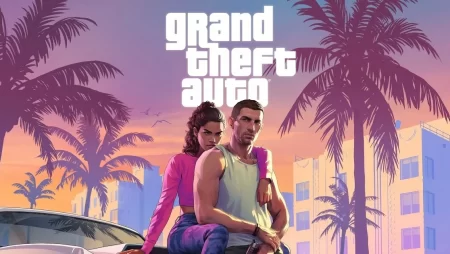
GTA 6. Everything we know so far [Release, editions, and pre-orders]
To say that people were excited about the GTA 6 news would be an understatement. One of the most popular RPG games ever made has finally received its first trailer.