
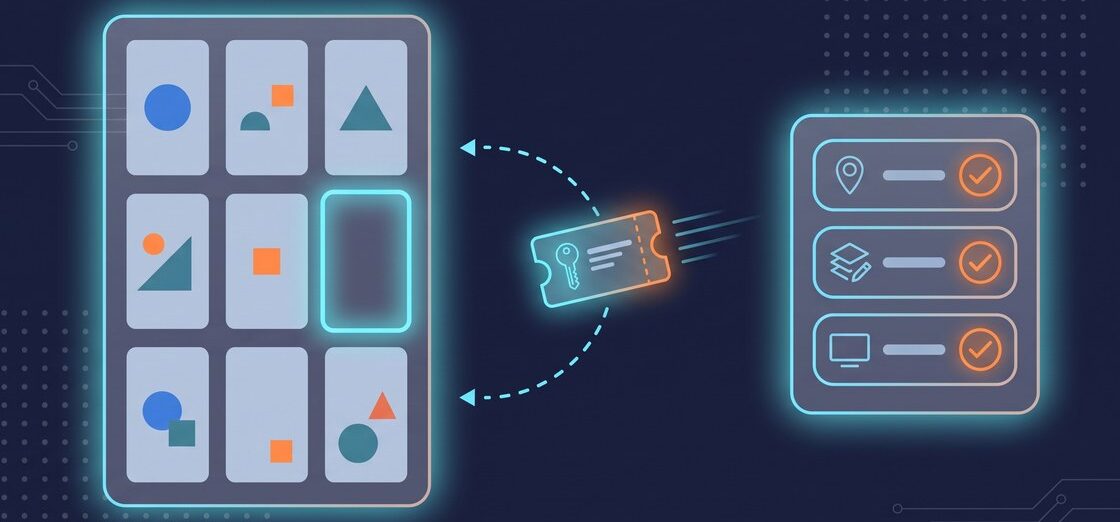
People searching for the cheapest place to buy Steam keys usually get a list of sites and a price. What those lists skip is the product itself. After all, a Steam key is an activation code, and the rules attached to it decide whether a low price turns into a game in your library.
The cheapest place to buy a Steam key is the one that offers the right key for your account at the lowest total price at checkout. That takes three checks before price: the key is meant for Steam activation, its region matches the region where you use Steam, and it is the edition you want. A key that fails any of these costs more than it saves, because Steam ties a key to one account the moment it is activated.
This guide explains what a Steam key is and how it differs from a Steam gift or a purchase made on Steam. It also shows how to compare offers without comparing the wrong things. The rules below come from Steam Support pages and Valve’s Steamworks documentation, read on September 18, 2026.
What a Steam key is
A Steam key is a code of letters and numbers that adds a game to a Steam account when you activate it in the Steam client or in a web browser. Steam calls it a CD key or product code, and its support page on retail CD keys explains where it comes from: “Many products are sold by retailers other than Steam. If these products are meant for Steam registration, they will include a Steam CD key/product code.”
A digital key has no box. Steam notes that “For online purchases where no physical media is shipped, the CD Key is usually included in the emailed purchase receipt.” On GAMIVO, the code is waiting in your account instead: “After a successful purchase, you will find your key in the Purchases section of your GAMIVO account.”
To activate a key, Steam’s instructions are short: in the Steam client, click “+ Add a Game,” select “Activate a Product on Steam…” and “follow the on-screen instructions.” Steam also lets you register a key through a browser.
Where Steam keys come from
Steam keys exist because game developers can generate them through Steam. Valve’s developer documentation on Steam Keys describes them as “a free service we provide to developers,” meant for retail, for distribution outside Steam, and for beta testers or press. The same documentation also states that games and applications launching on Steam “may receive up to 5,000 Default Release Steam Keys” for that purpose.
Steam also issues keys in the opposite direction. Some games bought on Steam come with a key for a third-party launcher. To find it, right-click the game in your library and choose Manage > CD keys. Steam explains that “These keys are used to register your product outside of Steam, with a third party client or service.” That key does not add anything to Steam. As a result, it is a different product from the Steam key covered in this guide.
Steam key, Steam gift, or a purchase on Steam
Three routes put a game in your Steam library, and each follows its own rules.
- A purchase on Steam is made inside Steam for your own account. Steam states that “In most cases, there are no region restrictions on products purchased directly from the Steam store.”
- A Steam gift is bought on Steam for someone else: “When you add a game to your cart, you will see the option to ‘gift’ the game to anyone on your Steam Friends List.” Gifts carry region rules set by Steam: “Gifts purchased in certain regions can be redeemed only in those regions.”
- A Steam key is bought outside Steam and activated on your account. Its region rules come from the publisher: “Region restrictions on CD Keys vary by each individual publisher. There is no standard or universal restriction placed on retail games.”
If you want spending money rather than a specific game, a Steam gift card is the fourth option. It adds Steam Wallet funds instead of a title, and our guide to Steam gift cards covers how those work.
Steam keys, gifts, and purchases at a glance
| Steam key | Steam gift | Purchase on Steam | |
|---|---|---|---|
| Where you pay | Outside Steam | On Steam | On Steam |
| Who ends up with the game | The account that activates the key | The account that accepts the gift | Your own account |
| Who sets region rules | The publisher | Steam, shown at checkout | Steam, shown on the product page |
| What to check first | Region, edition, activation platform | The recipient’s region | The region note on the product page |
| After activation | Tied to that account; cannot be registered again | In the recipient’s library | In your library |
Why a key’s region matters more than its price
Region is where a cheap key most often fails. If you activate a region-locked key in the wrong region, Steam shows the error “Game not available in your territory” and explains: “You will see this error message if you have purchased a regionally restricted copy of a game and you try to register its CD Key in a different region.”
Steam Support also cannot change this after the fact. Its page on region restrictions on Steam opens with “Steam Support is unable to modify or remove any region restrictions,” and says restrictions on keys “should be noted by the publisher on the retail packaging of the product.” For a digital key, however, the offer page takes the place of that packaging.
Regional prices also differ on Steam itself. Steam explains that “Due to regional price differences, some gifts cannot be sent to recipients located in other purchase regions.” A lower price on a key for another region is therefore the price of a product you may not be able to activate.
Finally, do not try to get around a region lock. Steam states that “using a proxy or VPN to disguise your location is strictly against the Steam Terms of Service and may result in restrictions on your Steam account.”
Two activation errors and what they mean
Steam uses two error messages that tell you exactly what went wrong with a key:
- Invalid Product Code. “If a key is not intended for registration through Steam, you will see an Invalid Product Code error when you try to register it.” Steam also lists characters that are easy to mistype, such as the number 0 and the letters O, Q, and D, or the letter B and the number 8.
- Duplicate product code. “This error indicates that the key you are registering has already been tied to a Steam account. It cannot be registered again.”
The second rule is the reason to activate a key on the account that will play the game. Once you register a Steam key, it belongs to that account. GAMIVO’s FAQ adds a related limit: “some types of products can only be applied once to your account. That means that even if you used a similar code in the past, you still won’t be able to activate the new key.”
How to find the cheapest place to buy Steam keys
A useful price comparison keeps everything the same except the price. Before you compare numbers, line up offers on five points:
- The same game and edition. For example, a standard edition, a deluxe edition, and a bundle are separate products, each with its own price.
- Steam as the activation platform. GAMIVO asks buyers to use each code “on the correct platform or software: Steam, Blizzard, EA App, Ubisoft Connect, or any other, specified in the description.”
- The same region. Compare only keys that match the region where you use Steam. GAMIVO’s FAQ puts it plainly: “Please, make sure to check the region, language, platform, or any other restrictions on the product page.”
- The total at checkout. On GAMIVO, payment methods depend “on your region and the chosen currency,” and all of them “will be visible at the payment step of your purchase.” Compare the amount you pay, not the headline price.
- The price on the day you buy. Key prices change over time, so a ranking of the cheapest site from last month says little about today.
On the GAMIVO platform, Steam keys come from suppliers. The product page shows the region, language, and platform of each offer. That page is therefore the place to run the checks above before you pay.
Sites like Steam for cheap game deals: what to look for
A search for “sites like Steam” returns three different kinds of site. However, only one of them ends with a game in your Steam library.
- Sites that offer Steam keys. You pay outside Steam and activate the key on your Steam account, so the game sits in the same library as your Steam purchases. Our guide on how game key sites work walks through that path from supplier to library.
- Price comparison sites. They list prices from several sites for one game. Treat them as a starting point, then check region and edition on the offer itself.
- Other PC launchers with their own catalogs. However, a purchase there stays in that launcher’s library, not in Steam.
For more ways to lower what you spend on PC games, including discounts and timing, see our guide on how to save money on PC games.
A five-point check before you buy a Steam key
- The offer says the key activates on Steam.
- The region matches the region where you use Steam.
- The edition is the one you want.
- You will activate it on the account that will play the game.
- You are comparing the total at checkout, on the day you buy.
Frequently asked questions
Steam keys and prices
The cheapest place is the one with the lowest total at checkout for the right key: a key that activates on Steam, matches the region where you use Steam, and is the edition you want. Key prices change over time, so compare on the day you buy, and compare only offers that pass all three checks.
A Steam key is a product code that adds a game to a Steam account when activated in the Steam client or a browser. Steam Support explains that products bought outside Steam and “meant for Steam registration” include “a Steam CD key/product code.” Once activated, the key is tied to that account.
No. A Steam gift is bought on Steam for another account, and its region rules are set by Steam and shown at checkout. A Steam key is bought outside Steam and activated on your own account, and its region rules come from the publisher: “Region restrictions on CD Keys vary by each individual publisher.”
Regions, activation and sources
Some do. Steam says there is “no standard or universal restriction placed on retail games,” because each publisher decides. A region-locked key activated in the wrong region returns the error “Game not available in your territory,” and “Steam Support is unable to modify or remove any region restrictions.” Check the region on the offer page before you pay.
No. After activation, Steam treats the key as used: “This error indicates that the key you are registering has already been tied to a Steam account. It cannot be registered again.” Activate the key on the account that will actually play the game.
There are three kinds: sites that offer Steam keys you activate on your Steam account, price comparison sites that list prices from several sites, and other PC launchers with their own catalogs. Only the first puts the game in your Steam library, so check the activation platform and region on each offer.
Developers generate them through Steam. Valve describes Steam Keys as “a free service we provide to developers,” used for retail, distribution outside Steam, and beta testers or press. Games launching on Steam “may receive up to 5,000 Default Release Steam Keys” for this purpose.


Stranger Than Heaven: release date, story and gameplay explained
RGG Studio’s next Yakuza game finally has a release date. Stranger Than Heaven takes us back to 1915 with a cast that mixes Japanese TV stars with Snoop Dogg, Tori Kelly and Ado. Here’s everything we know so far about the story, cast, editions and gameplay.

Genshin Impact 6th Anniversary: Two Free 5-Stars, 20 Wishes and a lot of rewards in Version 7.1
Genshin Impact turns six with two free 5-stars: a limited pick like Varesa, Clorinde or Childe, plus a standard one like Diluc or Mizuki. Add 20 free wishes and here’s how to claim it all.