
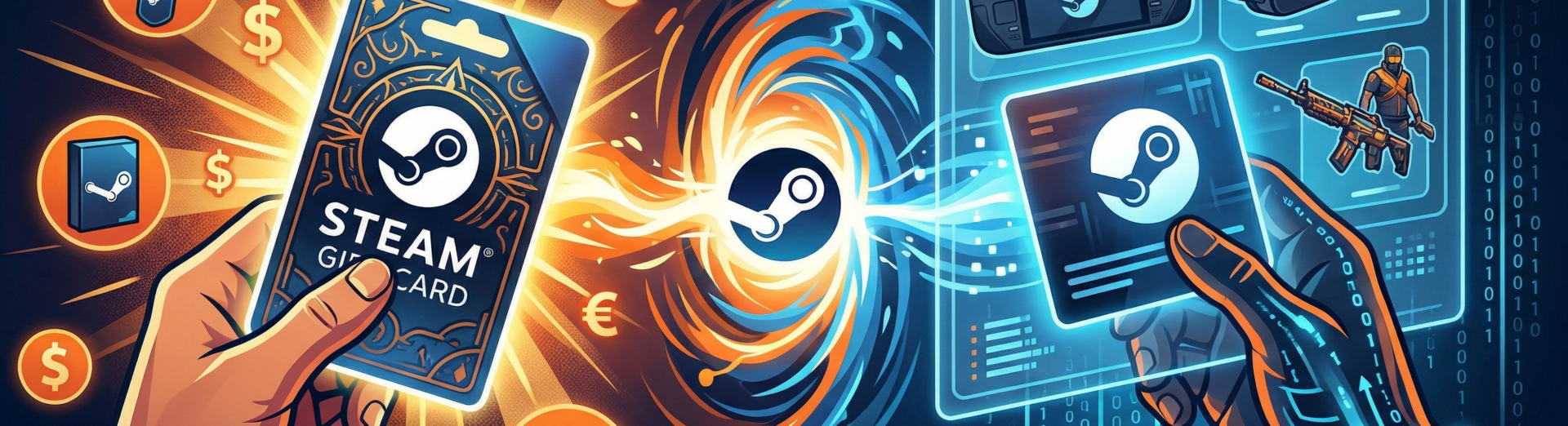
Whether you’re trying to power up your own library or surprise a friend, Steam gift cards (also known as Steam wallet codes) are the universal currency of PC gaming. This guide covers everything from the basics of what they are to advanced 2026 trading tips.
What a Steam Gift Card Is
A Steam gift card is a one-time-use voucher containing a digital code. When you redeem it, the monetary value is added to your Steam Wallet, which functions like a digital bank account for the Steam platform.
What Does it Look Like?
- Physical: A plastic or cardboard card (similar to a credit card) usually attached to a larger cardboard hanger. The front features the Steam logo and the denomination (e.g., £20, €50, $100). The back features a silver “scratch-off” panel that reveals a 15-character alphanumeric code.
- Digital: An email or a Steam notification containing a link to accept the gift. It can also come in the form of a 15-character activation code (key) that you can redeem yourself or send to someone.
What Can You Buy with Steam Gift Cards?
You can use the balance for:
- Games & DLC: Any title on the Steam Store.
- In-Game Items: Skins for CS2, items for Dota 2, or Team Fortress 2 gear.
- Hardware: Steam Decks and Valve Index VR kits.
- Software: Creative tools like Wallpaper Engine or Aseprite.
Is There a Steam Balance Limit?
Yes. The Steam Wallet balance is restricted to $2000 or a corresponding amount in other currencies.
Where and How to Buy Steam Gift Cards
Where to Find Physical Steam Cards
You can find physical cards at major retail chains. It depends on the country; you can find it virtually everywhere, including convenience stores and gas stations. Steam gift cards and other similar items are usually available near the counter.
Here are some chains selling Steam cards in the US:
- Best Buy,
- Walmart,
- Target,
- GameStop,
- Walgreens,
- 7-Eleven.
How to Buy Ddigital Steam cards online
- Directly on Steam: Go to the “Digital Gift Cards” page on the Steam Store.
- Trusted Retailers: Sites like Amazon, GAMIVO, or Newegg sell digital codes delivered via email or available in the customer panel.
Buying with Crypto: While Steam doesn’t accept crypto directly, you can use 2026-compliant third-party services, like GAMIVO, to buy Steam Wallet Codes using Bitcoin, Ethereum, or stablecoins.
How to Buy for a Friend
- Digital: Go to the Steam Store > Digital Gift Cards > Select a friend from your list. While buying on GAMIVO and other retailers, you will get a code that you can send to your friend via email or instant messenger. Remember not to reveal the code to anyone you don’t want to use it with.
- Physical: Buy the card at a store and simply text or email the code to your friend.
How to Send a Gift Card Without a Steam Account?
If you don’t have Steam, your best option is to buy a physical card at a retail store and give the recipient the code, or purchase a digital code from Amazon/GAMIVO and forward the email to them.
Can I Use Different Currencies on My Steam Account?
To prevent users from exploiting currency differences (buying cheap codes from one region to use in another), Steam officially enforces a strict currency match for all physical wallet codes.
When it comes to digital Steam gift cards, the official policy also states that the redeemed code should match the currency used on the account. However, except for a few currencies, the digital wallet codes are automatically converted into the proper currency. Nonetheless, given Valve’s official approach, using the matching currency is the safest option.
Digital gift cards (sent via Steam): If a friend sends you a digital gift card directly through the Steam Store’s “Gift” feature, Steam will automatically convert the currency.
- Example: A friend in the UK sends you a £20 digital gift card. When you accept it on your US account, Steam converts that £20 into USD based on the current market exchange rate and adds it to your wallet.
Shared currency regions (The Eurozone): If you live in a country that uses the Euro (€), you can generally redeem physical cards purchased in other Eurozone countries. Since the currency matches, the “region” is considered compatible.
How to Use, Add, and Activate Your Card
Redeeming your card (adding the funds) is the same process regardless of whether the card is physical or digital.
How to Redeem/Activate:
- On PC/Mac: Open Steam > Click your Username (top right) > View my wallet > Redeem a Steam Gift Card or Wallet Code.
- On Mobile: Open the Steam App > Tap your Avatar > Wallet > Redeem a Steam Gift Card or Wallet Code.
- Enter the Code: Carefully type in the 15-character code.
How to Check Your Balance
Your current Steam Wallet balance is always visible in the top right corner of the Steam client next to your username. You can also see a detailed breakdown in your Account Details menu.
Visa Gift Cards & Sending Gifts
Can You Use a Visa Gift Card on Steam?
Yes. You can use a prepaid Visa, Mastercard, or Amex gift card on Steam.
- How: Add it as a “Credit Card” during checkout.
- Pro-Tip: Most prepaid cards require you to register your zip code on the card issuer’s website before they will work for online purchases like Steam.
Troubleshooting & Advanced Questions
What if the Code Is unreadable?
If you scratched too hard and destroyed the code:
- Take a clear photo of the back of the card.
- Take a photo of the sales receipt.
- Contact Steam Support via their help site. They can verify the serial number on the card and manually add the funds.
How to Get a “Free” Steam Gift Card?
Be extremely cautious. Most “free code generators” are scams. Legitimate ways include the following:
- Reward Apps: Using apps like Swagbucks or Mistplay to earn points for gift cards.
- Selling Items: Selling your CS2 skins or Steam Trading Cards on the Community Market to build up a balance.
- Giveaways and promotions: GAMIVO Weekly Giveaways usually include GAMIVO gift cards as prizes. If you win one, you can redeem it on GAMIVO and use your balance to get Steam gift cards. Hence, you will get Steam Wallet Codes technically for free.
How to Sell Steam Gift Cards for Cash in 2026?
Valve does not allow you to “cash out” your wallet. To get real cash, gamers often use third-party marketplaces to sell the code to others.
How Long Are the codes?
Steam Wallet codes are 15 characters long, consisting of a mix of letters and numbers (e.g., A1B2C-D3E4F-G5H6J).


GTA 6. Everything we know so far [Release, editions, and pre-orders]
To say that people were excited about the GTA 6 news would be an understatement. One of the most popular RPG games ever made has finally received its first trailer.

How to Save Money on PC Games by Choosing the Right Edition: Standard, Deluxe or Ultimate
How to save money on PC games: compare Standard, Deluxe and Ultimate editions, season passes, early access and later upgrades before you buy.

GTA Games in Order: The Complete History of Grand Theft Auto
Find out how Grand Theft Auto grew from a 1997 top-down crime game into one of the best-selling franchises ever made. This guide lists all GTA games in order of release and recaps each one: the story, the gameplay, and its impact on the industry.