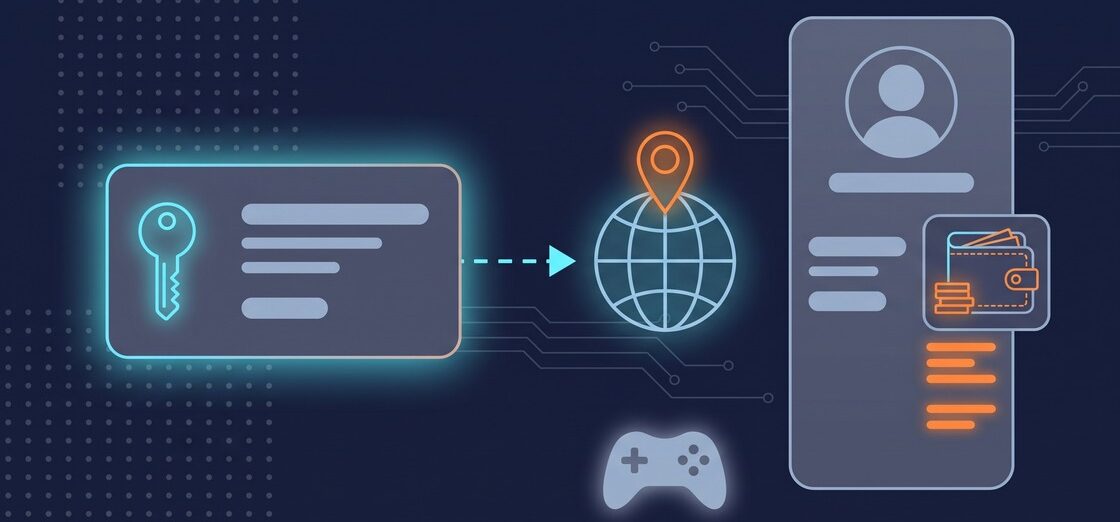
When you search for where to buy PS5 game codes cheap, the results are lists of offers sorted by price. The price is the easy part. What decides whether a code works for you is the account it lands on, and that account carries a country, a wallet, and a set of restrictions you cannot change later.
Before you compare offers, check three things: that the code matches the country registered on your PlayStation Network account, that the code type matches what you want (a game, an add-on, in-game currency, or wallet funds), and that you redeem it on the account that will actually use it. PlayStation Store voucher codes contain 12 digits; a 10-digit code is a discount code and follows separate rules.
This guide explains the four voucher types, the account rules behind them, and the checks that come before price. Every rule below comes from PlayStation’s own support pages and terms of service, read on September 17, 2026. For codes and gift cards across other platforms, see our guide to where to buy digital game codes.
PS5 game codes: the four types you will meet
A PlayStation Store voucher code is a 12-digit code redeemed on a PlayStation Network account, and it comes in four types that behave differently. Sony’s support page on voucher codes is explicit about the format: “PlayStation Store voucher codes contain 12 digits.”
The four types are:
- Game or add-on vouchers. “Once you redeem this type of voucher, you can download the game or add on.”
- In-game currency, items, and skins. “This type of voucher doesn’t require a download. Once you redeem the voucher, the content becomes available.”
- Wallet top-up vouchers, which add funds rather than a specific title: “You can add funds to your wallet using a PlayStation Store gift card.”
- Subscription vouchers, which apply time to a service instead of a download.
The distinction matters when you compare two listings for the same title. A wallet top-up is spending money you then use yourself; a game voucher is the title itself. They are not interchangeable, and a low price on one does not tell you anything about the other.
Why your account country decides where to buy PS5 game codes cheap
Your account country is set once and never changes, and it governs every purchase you make afterward. The PlayStation Network terms of service state: “During Account creation you must select the country or region of your residence and in which your account will be registered in. Once your account is created, you will not be able to change the country or region code associated with your account.”
That single setting has three consequences. First, it fixes who you transact with: “You may make transactions only with the designated SIE regional company that is determined by the country/area of residence to which your account is registered.” Second, it can be verified at payment: your country “may be verified by your credit or debit card number and may be rejected if the information does not match.” Third, it limits your wallet: “Your PlayStation Store Wallet will only accept prepaid cards with currency value from the same country as the one designated for your Account.”
Content follows the same boundary. PlayStation licenses content “for your personal, private, non-transferable, non-commercial, limited use on a limited number of PlayStation Devices or other devices in the country in which your Account is registered,” and notes that “Some PlayStation Services and Content may not be available or supported in your country or language.”
Region matching comes before price
A voucher code has to be issued for the same region as the account redeeming it, so region is the first filter and price is the second. PlayStation states the rule directly: “The voucher code needs to be for the same region as your account. For physical vouchers, look for a printed flag indicating the country or region.”
Two further rules make the check worth doing carefully, because neither is reversible by the buyer:
- A code works once. “Voucher codes can only be used once.”
- Nothing moves between accounts afterward. “It isn’t possible to transfer funds or content between accounts, so make sure to redeem your code on the correct account.”
In practice this means the account you plan to play on decides which offers are relevant to you at all. A listing for a different region is not a cheaper version of the same product. It is a different product, and the guide to buying cheap game keys applies the same logic across platforms.
Wallet top-ups follow different rules
Wallet funds sit on one account, are spent first at checkout, and exist only inside PlayStation Store. “Each adult account has a wallet. You can add funds to your wallet using a valid payment method or PlayStation Store gift card. Wallet funds can then be used to purchase content and services from PlayStation Store.”
Four details decide whether a top-up is the right purchase for you:
- Payment methods depend on where the account is registered. “Before adding funds to your wallet, check which payment methods are accepted in your country/region.”
- Wallet funds are used first. “If your wallet funds don’t cover the full balance of a purchase, the remainder can be settled using other payment methods.”
- Child accounts have no wallet. “A child account doesn’t have a wallet and can’t add funds for PlayStation Store purchases.”
- Family top-ups go through one account. “Wallet top-up voucher codes need to be redeemed on the family manager’s account.”
Funds also stay where they are: “Wallet Funds have no value outside PlayStation Store and can only be used to make purchases through PlayStation Store or certain Third-Party Services.”
Subscription vouchers and discount codes
Subscription vouchers and discount codes are the two cases where a valid code can still fail at checkout, so they deserve a separate look.
For subscriptions, the account may need a payment method on file before the code will go through: “In order to redeem some subscription vouchers you may need a valid payment method on the account.” Where that applies, an account with no payment method on file will fail to redeem a code that is otherwise valid.
Discount codes are a different product from vouchers. They carry 10 digits instead of 12, they are entered at the cart rather than through Redeem Code, and PlayStation lists what they cannot be combined with: subscription services, pre-orders, other discount codes in the same purchase, and more than one purchase. If you are trying to combine a discount code with a subscription, the rules above are the reason it will not apply. The Xbox Game Pass code guide covers the equivalent conditions on the other console.
Code types at a glance
| Code type | What you get | Where it lands | What to check first |
|---|---|---|---|
| Game or add-on voucher | The title or add-on, ready to download | The account that redeems it | Region match, edition, platform |
| In-game currency, items, skins | Content available without a download | The account that redeems it | Region match, the game it belongs to |
| Wallet top-up | Funds inside PlayStation Store | The wallet of that one account | Account country, family manager account |
| Subscription voucher | Time on a service | The account that redeems it | Whether a payment method is required |
| 10-digit discount code | A reduction at checkout | The cart, not the account | What it cannot be combined with |
What to check on the offer page before you pay
The offer page, not the price list, is where the details that decide activation are written down. The GAMIVO platform asks buyers to do exactly that check: “Please, make sure to check the region, language, platform, or any other restrictions on the product page.”
Two further points are worth reading there. Some products are tied to an account permanently: “Be informed that some types of products can only be applied once to your account. That means that even if you used a similar code in the past, you still won’t be able to activate the new key.” And the way you pay is set by where you are: “You can pay for your purchases with one of the numerous payment methods depending on your region and the chosen currency. All the available methods will be visible at the payment step of your purchase.”
Gift cards for other ecosystems work along the same lines, and our guide to Steam gift cards sets out that version of the rules.
A six-point check before you buy a PS5 code
- Confirm the country on your PSN account. It was set at sign-up and cannot be changed later.
- Match the code region to that country, and on a physical voucher look for the printed flag.
- Confirm the code type: game, add-on, in-game currency, wallet top-up, or subscription.
- Count the digits. Twelve means a voucher; ten means a discount code with its own rules.
- Decide which account redeems it, because funds and content do not move afterward.
- Check the product page for region, language, platform, and any once-per-account limit.
Frequently asked questions
Prices and discount codes
Buy from a platform that shows the region, language, and platform of each offer on the product page, so you can confirm the code matches the country registered on your PlayStation Network account before you pay. A listing for another region is a different product, not a cheaper one. Compare the total you pay at checkout, since available payment methods depend on your region and chosen currency.
Yes, and they are separate from voucher codes. A PlayStation discount code has 10 digits and is entered in the cart, not through Redeem Code. PlayStation lists what a discount code cannot be combined with: subscription services, pre-orders, other discount codes in the same purchase, and more than one purchase.
On any platform that lets you verify the offer before paying. Check the region against your account country, confirm the code type, and check whether the product can be applied only once per account. GAMIVO asks buyers to “check the region, language, platform, or any other restrictions on the product page,” which is the same check that decides activation.
Regions, accounts and gift cards
No. PlayStation states that “The voucher code needs to be for the same region as your account,” and your account country is fixed when the account is created. Content is also licensed for use “in the country in which your Account is registered,” and some services and content “may not be available or supported in your country or language.”
Only if you redeem it there in the first place. PlayStation is explicit that “It isn’t possible to transfer funds or content between accounts, so make sure to redeem your code on the correct account.” Codes are also single use: “Voucher codes can only be used once.”
No. A gift card adds wallet funds rather than a specific title, and those funds are spent first at the next purchase. Wallet funds also stay inside the ecosystem: they “have no value outside PlayStation Store and can only be used to make purchases through PlayStation Store or certain Third-Party Services.”


Call of Duty: Modern Warfare 4 (2026): Everything We Know So Far
Modern Warfare 4 launches on October 23 on PS5, Xbox Series X|S, PC and Nintendo Switch 2. Here is everything we know about the story, multiplayer modes, the maps, the editions and, of course, Captain Price.

Stranger Than Heaven: release date, story and gameplay explained
RGG Studio’s next Yakuza game finally has a release date. Stranger Than Heaven takes us back to 1915 with a cast that mixes Japanese TV stars with Snoop Dogg, Tori Kelly and Ado. Here’s everything we know so far about the story, cast, editions and gameplay.