Mobile Game Top-Ups on the Most Trusted Game Key Sites: One Guide to Four Games
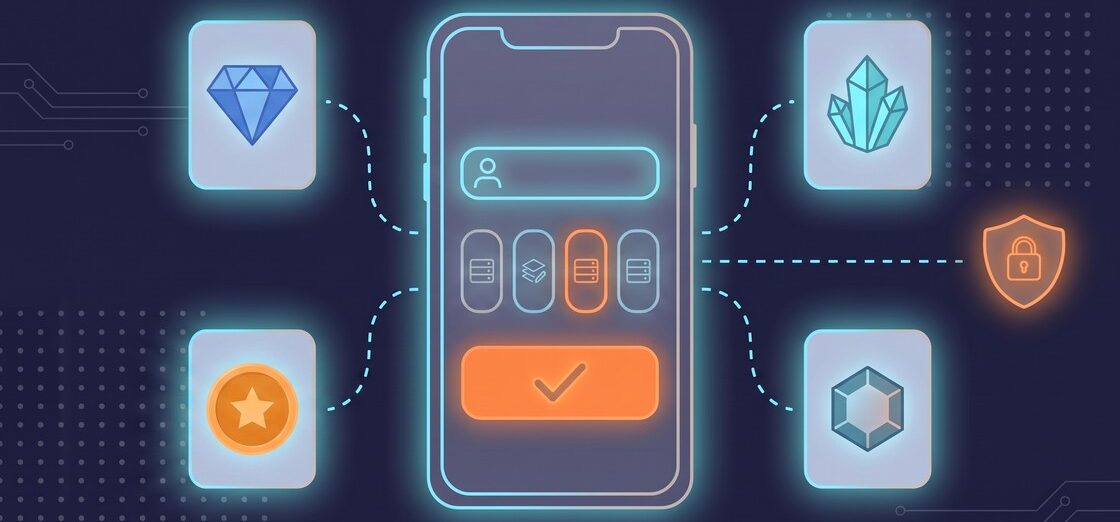
Game key sites are no longer only about keys. A modern key site’s catalog also includes in-game top-ups, and that changes what you hand over at checkout: not an activation code you redeem yourself, but the identifier of your game account. This guide brings together the four top-up guides on this blog and explains what they have in common.
The most trusted game key sites top up mobile games with the identifier each game needs: a player ID for Free Fire, a UID and server for Genshin Impact and Zenless Zone Zero, a UID and Server ID for Mobile Legends. Before checkout, they list every part of the price, state a delivery time, and tell you if a top-up needs access to your account.
The four games covered here are Garena Free Fire, Genshin Impact, Zenless Zone Zero and Mobile Legends: Bang Bang. Each has its own currency and its own identifier, and each has a full guide on this blog. The rules below come from those guides, from GAMIVO’s help pages read on September 21, 2026, and from GAMIVO’s top-up team. For how a key site works in general, from supplier to your library, see how game key sites work.
What a mobile game top-up is
A mobile game top-up is a purchase of a game’s premium currency that is credited straight to one specific game account. You do not receive a code to redeem. You enter the identifier of your account at checkout, and the currency arrives on that account.
That is the main difference from a game key. A key can be activated on whichever account you choose after the purchase. A top-up is bound to an account before the purchase, so the identifier you type is the only link between your payment and your game. A wrong identifier sends the currency somewhere else.
Most top-ups also do not require access to your account. The identifier is public: other players can see it, and it is safe to share. Manual top-ups are the exception, and the section on trusted sites below explains how they work.
Four games, four identifiers: the 2026 comparison
The four games use different currencies and different identifiers, but the logic is the same in each. The table below sums up what you enter, where to find it and what to watch for. Each game’s full guide is linked in its section below.
| Garena Free Fire | Genshin Impact | Zenless Zone Zero | Mobile Legends: Bang Bang | |
|---|---|---|---|---|
| Currency you top up | Diamonds | Genesis Crystals | Monochrome | Diamonds |
| What you enter at checkout | Player ID | UID and server | UID and server | UID and Server ID |
| Where to find it | Tap your avatar in the top-left corner of the lobby | Bottom-right corner of the screen; server chosen in the main menu | Bottom-right corner of the main screen, after your nickname | Both numbers come from your account and go into checkout together |
| The check that catches mistakes | Every digit of the player ID; some services also show your nickname | Server at checkout matches your server | Server at checkout matches your server; accounts cannot move between servers | Server ID entered, not only the UID |
| Option for regular players | Weekly and Monthly Memberships | Blessing of the Welkin Moon | Inter-Knot Membership | Weekly Diamond Pass |
Garena Free Fire: a numeric player ID and how to check it
Garena Free Fire top-ups deliver Diamonds, the game’s premium currency, to one Free Fire account identified by its numeric player ID. You find the ID by tapping your avatar in the top-left corner of the lobby.
Some top-up services add a safety step for Free Fire: they show your in-game nickname after you enter the ID. If the nickname is not yours, you stop and correct the ID before you pay. Where there is no preview, check every digit of the ID yourself. The Free Fire top-up guide explains why this matters: Diamonds go to the account that matches the ID you typed. A typo therefore usually means a delivery to a stranger that cannot be reversed.
On GAMIVO, Free Fire Diamond top-ups come in regional variants, including global, NA/LATAM, Brazil and MENA. Players who top up often can choose Weekly or Monthly Memberships, which add a daily Diamond allowance you claim by logging in.
Genshin Impact: a UID and the right server region
Genshin Impact top-ups deliver Genesis Crystals, which you exchange 1:1 for Primogems. Primogems cannot be bought directly. The order is tied to your UID and your server region.
GAMIVO’s Genshin Impact top-up page puts it simply: “Your UID can be found in the down-right corner.” and “The server region should be chosen in the main menu.” The server you select at checkout has to match the server your account plays on.
For regular players, the Genshin Impact top-up guide recommends the Blessing of the Welkin Moon: 300 Genesis Crystals up front plus 90 Primogems a day for 30 days, as long as you log in daily.
Zenless Zone Zero: a 9-digit UID and a fixed server
Zenless Zone Zero top-ups deliver Monochrome, the paid currency, which converts 1:1 into Polychrome. Polychrome buys Master Tapes for Signal Search pulls. The order is tied to your 9-digit UID and your server.
Zenless Zone Zero accounts belong to one server: America, Europe, Asia or TW/HK/MO. Transfers between servers are not supported. The Zenless Zone Zero top-up guide names a mismatched server as the most common cause of failed or delayed deliveries. The server field therefore deserves the same attention as the UID.
For daily players, the Inter-Knot Membership grants 300 Monochrome at once, then 90 Polychrome for each daily login over 30 days.
Mobile Legends: Bang Bang: a UID plus a Server ID
Mobile Legends: Bang Bang top-ups deliver Diamonds to an account identified by two numbers: the UID and the Server ID. GAMIVO’s Mobile Legends top-up page asks for both: “Enter your Game ID and server ID.”
Mobile Legends spreads its players across SEA, EU, NA, the numbered Asia servers and several smaller ones. The Mobile Legends top-up guide makes the point directly: a service that collects the UID without the Server ID is guessing where to send your Diamonds.
Top-ups for Mobile Legends: Bang Bang are also split into regional offers, and the most trusted game key sites carry many of them. On September 29, 2026, GAMIVO’s page for these top-ups listed six regions: Global, Indonesia, Malaysia, the Philippines, South East Asia and the United States. Start by checking whether your region has a dedicated offer: US players, for example, have their own version with a separate set of Diamond packs.
For regular players, the Weekly Diamond Pass gives 220 Diamonds in total: 80 at once and 20 a day for 7 days, plus Starlight points.
What the most trusted game key sites ask for, and what they tell you before you pay
The most trusted game key sites ask for exactly the data a top-up needs and nothing more. For most top-ups in the four games in this guide, that is a player ID, a UID, a server or a Server ID, with no password.
Manual top-ups work differently. The order is completed by logging in to the player’s account, so the site needs your login details. A trusted site tells you this before you buy and explains how the purchase works step by step. For this kind of order, use only large game key sites with proper security measures and a support team. Change your password once the top-up is complete. Changing a password after sharing it is standard account practice, whichever site you use.
What the most trusted game key sites show before checkout
A trusted top-up site also shows you what it is about to do before you pay. That means a checkout form with the right fields for the game and a server list that matches the game’s real servers, so a typo is caught before the money moves. It also means no hidden fees: before checkout, the cart lists every part of the price and the total you will pay. On GAMIVO, the cart shows the product price, the service fee, tax and the Customer Protection Program as separate lines, with the total displayed before you proceed to checkout.
Finally, a trusted site puts a number on delivery and a name on support. “Instant” without a time frame is a promise you cannot check. A stated delivery window and a support channel that answers around the clock are things you can check before your first order.
The question of whether game key sites are legal and safe in general is covered in a separate guide: are game key sites safe and legal. This section answers a narrower question: which site you can trust with your game account’s ID.
How long a top-up takes on GAMIVO, and what happens if it does not arrive
On GAMIVO, the top-up pages for all four games covered here show a delivery time of “Up to 30 min.” The help center confirms the same window: top-ups are delivered by independent suppliers, who aim to complete them within 30 minutes. On GAMIVO’s top-up pages, each offer also shows the supplier’s average delivery time over the last seven days, which helps you choose a supplier.
If 30 minutes have passed, GAMIVO’s help center advises checking the details you entered first: “please verify if you provided the correct credentials (server region, UID, etc.).” If you spot a typo, a support ticket usually lets GAMIVO pass the correction to the supplier and fix the order quickly.
GAMIVO Customer Service works 24/7. If a case is handled by the supplier and you cannot reach an agreement, you can bring GAMIVO into the dispute 72 hours after opening the complaint. The optional Customer Protection Program adds priority support, where “All tickets from CPP users go first!” and fast mediation with the supplier.
One more check belongs before checkout, not after it. GAMIVO notes that some direct top-up offers are restricted in several regions. Before you place the order, make sure the server you play on is on the offer’s list of available servers.
A five-step check before you enter your ID
- Find the right identifier. Player ID for Free Fire, UID and server for Genshin Impact and Zenless Zone Zero, UID and Server ID for Mobile Legends: Bang Bang.
- Match the server. Pick the server your account actually plays on, and confirm it is on the offer’s list of available servers.
- Check before you pay. Compare the ID and server with the ones in your game, digit by digit; if the service shows a nickname preview, make sure it is yours.
- Share login details only when the offer says so. Most top-ups need only an ID. For some games a manual top-up needs your login, and you should know that before you buy; change your password once the top-up is complete.
- Note the delivery window. On GAMIVO it is up to 30 minutes; after that, check your details and open a ticket if something is wrong.
Frequently asked questions
Safety and account details
The most trusted game key sites ask only for the data a top-up needs, usually a public account identifier such as a player ID, UID or Server ID. If a top-up needs your login, they say so before you buy. They list every part of the price before checkout, state a delivery time, and offer support that answers around the clock.
Usually not. Most top-ups need only a public identifier: a player ID, UID, server or Server ID. Some games also have manual top-ups, completed by logging in to the player’s account. A trusted site tells you this before you pay. For such orders, choose a large site with proper security and support, and change your password once the top-up is complete.
The currency goes to the account that matches the identifier you typed. If that account belongs to someone else, the delivery usually cannot be reversed. Check every digit before you pay, and if the service shows a nickname preview, make sure it is yours. If you notice a typo right after ordering on GAMIVO, open a support ticket.
Delivery, servers and memberships
Up to 30 minutes. The top-up pages for Free Fire, Genshin Impact, Zenless Zone Zero and Mobile Legends: Bang Bang all show “Up to 30 min,” and GAMIVO’s help center says suppliers aim to deliver top-ups within 30 minutes. If that time has passed, check the UID and server you entered, then contact support.
Only by choosing that account’s own server at checkout. Top-ups are tied to one account on one server, and Zenless Zone Zero accounts cannot be transferred between servers. Some direct top-up offers on GAMIVO are restricted in several regions, so confirm your server is on the offer’s list before you order.
For players who log in every day, usually yes. Each of the four games has a membership or pass that pays out over time: Free Fire Memberships, the Blessing of the Welkin Moon in Genshin Impact, the Inter-Knot Membership in Zenless Zone Zero and the Weekly Diamond Pass in Mobile Legends: Bang Bang. Missed daily rewards are usually lost.
Wait for the stated delivery window, then check the identifier and server you entered. On GAMIVO, open a support ticket: Customer Service works 24/7, and if a supplier dispute is not resolved, you can bring GAMIVO into it 72 hours after opening the complaint. The optional Customer Protection Program adds priority support.


The Witcher 3 Remastered: What Changed and What Players Think
The Witcher 3 Remastered launched on 29 September 2026 as a free upgrade for owners. Here’s what changed, what it needs to run and how players and critics reacted.